Showing posts with label Apps Downloads. Show all posts

Thursday, October 20, 2016

Five Ways to Free Up Space on Your Android Device

IMG_9706
Android phones and tablets can fill up quickly as you download apps, add media files like music and movies, and cache data for use offline. Many lower-end devices may only include a few gigabytes of storage, making this even more of a problem.
The less space you have, the more time you’ll have to spend micromanaging the internal storage. If you find yourself regularly running out of space and needing to manage it, consider getting a phone or tablet with more storage next time around.

See All Your Mac’s Network Traffic in Real Time With Private Eye

private-eye-featured
Wonder which of your Mac apps are connecting to the Internet, and what they’re doing? Private Eye lets you spy on your applications, watching every outgoing and incoming request in real time. And it’s free.
There is a way to allow apps to communicate through it. If all you want to do is stop incoming requests, with a few exceptions, that should do the trick.

Tuesday, September 13, 2016

How to Turn Your Windows PC Into a Wi-Fi Hotspot

wmh_top
Windows can turn your PC into a wireless hotspot, allowing it to share its wired or wireless Internet connection with other wireless devices. But how you set it up that depends on what version of Windows you’re running. Here’s how it all works.

Saturday, September 10, 2016

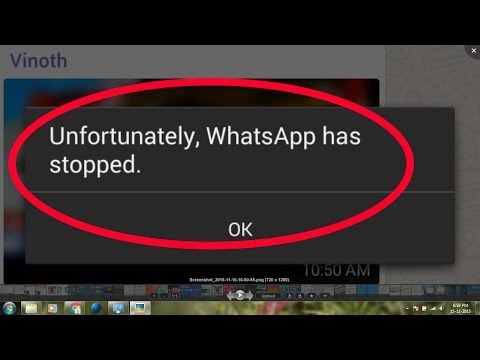
How To Fix Unfortunately WhatsApp Has Stopped on Android

https://i.ytimg.com/vi/ve8ywoP0Wvw/hqdefault.jpg

Today I will tell you how to fix unfortunately WhatsApp has stopped. There are many reasons which can cause this error “unfortunately WhatsApp has stopped “. Once you start getting this error you cannot use WhatsApp properly so in order to get rid of this annoying situation follow my step by step guide below.

Wednesday, April 27, 2016

Why you must update to WhatsApp’s new end-to-end encryption

WhatsApp’s new end-to-end encryption means that the only people who can read your messages are you and the person that you’re chatting with.

https://blogger.googleusercontent.com/img/b/R29vZ2xl/AVvXsEhIIraUrfKpK66JVzrlRnQIlXqrRCtNMEgu1R5Ne-FDRI4QmG7VcVwaIgnmWBoWptFY9gEGiQBxRxKSgzligeQJd2A2BmNeP1z9Ck3ifTh65sVBL2Z8HDTeounsSv6gkwZzAvs4B71KAQk/s1600/front-1393846082939.flat.jpg

Last night, I was chatting with a friend from secondary school days via WhatsApp, when a message appeared within my chat informing me that my messages and calls in WhatsApp were now secured with end-to-end encryption.

Tuesday, December 29, 2015

How to Install Applications On a Mac: Everything You Need to Know

mac-applications-folder[4]
Installing software on a Mac is  different from installing software on Windows. There isn’t just one way to install applications on a Mac, either — there are several different ways, depending on the application you want to install.
New Mac users will likely find themselves asking a number of questions: Why isn’t every application on the Mac App Store? What is a DMG file, and why do I have to drag-and-drop the app’s icon after opening it?

Format an External Hard Drive or USB Flash Drive for Mac OS X

 Format a hard drive for Mac compatibility

If you want to insure full Mac compatibility of a new external hard drive or flash disk, you’ll want to format the drive to the Mac OS Extended filesystem. This is particularly necessary for purchases of generic PC drives, which almost always come preformatted to be Windows compatible rather than for Mac OS X.

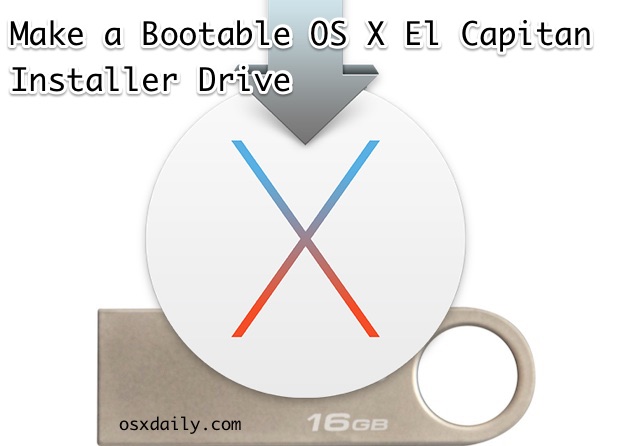
How to Create a OS X El Capitan Boot Installer USB Flash Drive

Make a bootable OS X El Capitan install drive
Many Mac users like to make a bootable installer drive for installing OS X El Capitan, whether for performing a clean install, or for making it easier to install OS X 10.11 onto multiple Macs. We will walk through creating a bootable install flash drive from OS X El Capitan with the final public version. I have discussed the steps to format and create one using DiskMaker X here.

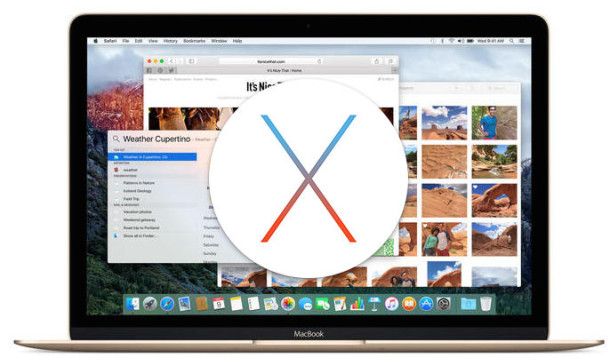
OS X El Capitan Available to Download Now for All Mac Users

OS X El Capitan now available to download
Apple has released OS X El Capitan as a free update to all Mac users. The new version of system software is officially versioned as OS X 10.11, and the final build number is 15A284. Users can start the download now from the App Store using the direct link below.

How to Create a Bootable El Capitan USB Install Drive with DiskMaker X

http://www.gete.net/ldm/wp-content/images/LDM_Gem.png


With OS X El Capitan, Apple has built on many of the changes that were brought on by Yosemite. And as with previous OS X versions dating back to OS X 10.7, El Capitan is only available for install via download from the App Store.
So if you previously relied on DVD installs, you won’t be able to do so with this version. Luckily, DiskMaker X helps fill the void by allowing you to make a bootable OS X 10.11 El Capitan USB install drive, making a task such as installing on several different machines easier.

Tuesday, October 27, 2015

How to Create an Image of Your PC Before Upgrading to Windows 10


Windows 10 is the biggest and most aggressive Windows rollout to date. Before you take the plunge you need to image your hard drive so, should you wish to return to the familiarity of Windows 7 or Windows 8 you can do so with the click of a button.
Note: This tutorial details how to create a bit-for-bit backup (a disk image) of your current Windows system disk so that you can later restore your computer using that image. If that’s not what you’re looking for and you’d like to actually copy your disk bit-for-bit over to a brand new hard disk (a disk clone) we’d encourage you to check out our detailed tutorial on the matter.

Friday, August 21, 2015

How to Test Your Internet Connection Speed or Cellular Data Speed

internet speed
How fast is your Internet connection? Sure, your Internet service provider has given you some numbers, and your cellular provider probably says you get blazing fast 4G LTE. But how fast is it, actually?
There’s a good chance you’re not getting the Internet connection speed you’re paying for, but maybe you are. Here’s how to find out.

Start Your Own Internet Radio Station for Free


If you're the kind of person who insists on handpicking a road-trip playlist rather than just setting your music player to shuffle, you were born for radio, baby. Fortunately, you don't have to let your daily life get in the way of your broadcasting fantasies. As long as you have a PC with a broadband connection, you have what it takes to inflict your talk-radio rants or musical taste on anyone who'll listen.

Friday, August 7, 2015

How to Root Your Android Device & Why You Might Want To

Android geeks still often root their devices, and you can usually do it yourself in just a few minutes with one of these easy tools. After you root your Android phone or tablet, you’ll have full access to the entire system.
Rooting has become less necessary over the years, but it’s still necessary if you want to run certain types of apps. You get to choose which apps get root permissions and which don’t.

Sunday, June 28, 2015

How to Detect if Someone's Stealing Your WiFi

Internet Connection Image Gallery 


It may be hard to imagine, but just a mere 20 years ago, the Internet was nothing more than a novelty -- a way for incredibly smart college professors and researchers to share information, and for a few people to network across the newly developed World Wide Web. E-mail was nothing like it is today. The primitive e-mail systems found at universities or even through accounts offered with the first Internet service providers (ISPs) such as Prodigy and America Online were often difficult to use.

Saturday, June 27, 2015

Can Connect to Wireless Router, but not to the Internet?

http://www.thecomputeradvisor.net/gallery/wireless-connection-problems/wireless_connection_problems.jpg

Have you ever run into the situation where you could connect your laptop to your wireless router, but could not browse the Internet? There could be several things going on in this kind of situation, either your computer has a problem or the router cannot connect to the Internet via your ISP.
So if you’re able to connect to a wireless network, but can’t get out to the Internet, then first check to see if it’s your compute or the router. You can do this by trying to connect to the Internet from another computer connected to the same wireless network.

Monday, June 1, 2015

25 Computer Networking Tips

25 networking tips 

Running a home network is pretty essential in this day and age.
Thankfully, modern hardware and software has reduced the complexities of configuring networks down to a few setup screens, and the relevant hardware often comes free with an internet connection.
If you have multiple computers, the chances are they're already talking to each other, either through wires or wirelessly. However, while your home network might be up and running, optimising it takes some doing. Follow our simple tips to extract the last drop of juice from your network hardware.

Friday, May 1, 2015

How to Turn Your Computer Into a DLNA Media Server

dlna
Many boxes you plug into your TV, including the Roku, Xbox 360, Xbox One, and PlayStation 3 offer DLNA (“Digital Living Network Alliance”) streaming support. They can stream video files and music over the network from your PC — as long as you set up a DLNA server first.
This feature is also known as “Play To” or UPnP AV. Using it is easier than you might think, as the server software you’ll need is built into Windows. if you want to play media files from your computer on a DLNA-enabled set-top box, it’s useful.

Sign PDF Documents Without Printing and Scanning Them From Any Device

Man Signing With A Pen An Official Document
Need to sign a document and email it? Don’t print, sign, and then scan it back in again. Skip the entire process and apply your signature electronically. It saves time and you don’t need a printer or scanner.
All the below tools also let you type words into a document, so you can fill out forms without printing them first. This even works if the form isn’t “fillable” — type words and position them in a place that looks correct.

Wednesday, April 22, 2015

Whatsapple – unOfficial Whatsapp Client for PC | Use Whatsapp On PC without Android emulators!

http://cdn2.knowyourmobile.com/sites/knowyourmobilecom/files/2/04/whatsapp_5.jpg
Whatsapp is the most leading app being downloaded on the Apple iStore,Google Play Store and Nokia store , thus its one of the most leading medium of communication and instant messaging. but many people still cannot afford those smartphones or may want to use whatsapp on PC /Windows/Linux/Mac , though there are workarounds such as installing an android emulator (e.x bluestacks,andy) and using whatsapp on it, its quite RAM and resource heavy plus it doesn’t satisfy the ease of PC . hence to overcome all these limitations, We came up with an unOfficial Whatsapp client – Whatsapple!